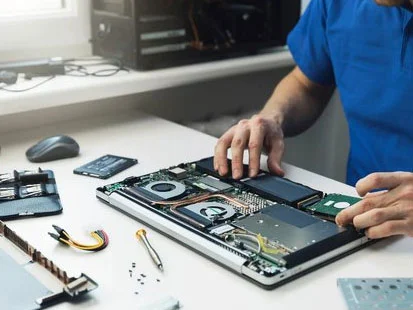
Apple MacBooks are renowned for their sleek design, powerful performance, and premium build quality. Whether you use a MacBook Air for daily writing and browsing or a MacBook Pro for heavy video editing, coding, and graphic design, these devices represent a significant financial investment. Because of their sophisticated engineering, compact internal architecture, and proprietary components, addressing hardware or software failures can be a costly endeavor. While unexpected accidents happen, a large percentage of MacBook malfunctions are entirely preventable. By adopting proactive habits and committing to regular laptop care, users can dramatically extend the lifespan of their devices while avoiding expensive visits to top macbook repair and services centers.
Understanding the True Cost of Neglect
Many users adopt a set-it-and-forget-it mentality when it comes to personal electronics. They use their laptops daily without performing routine maintenance, cleaning, or software optimization until something breaks down completely. Unfortunately, ignoring minor issues often leads to catastrophic failures. For instance, a small amount of dust accumulating inside the chassis might seem harmless at first, but over time, it insulates internal components, trapping heat and degrading the battery and processor. When these components fail prematurely, the cost of replacement parts and professional labor can rival the price of a mid-range laptop. Investing a few minutes each week in preventative care safeguards your investment and keeps your wallet protected from sudden financial shocks.
The Heat Hazard: Thermal Management and Dust Cleanups
One of the greatest silent killers of modern laptops is excessive heat. MacBooks rely on precise thermal management systems to dissipate heat generated by the CPU and GPU. While newer MacBook Air models are fanless, relying entirely on passive cooling, MacBook Pro models feature high-performance fans designed to push hot air out through specialized vents. Over time, these vents and internal heat sinks accumulate dust, pet hair, and particulate debris from daily environments. When airflow is blocked, the internal temperature rises, forcing the processor to thermal throttle, which slows down performance and degrades the lifespan of sensitive silicon components. Furthermore, excessive heat accelerates battery degradation, causing it to swell or lose its charge holding capacity. Routine cleaning—such as gently wiping down exterior ports and ensuring your laptop is used on hard, flat surfaces rather than fabrics that block ventilation—prevents thermal buildup. If you notice your fans running loudly or the chassis becoming uncomfortably hot during basic tasks, a professional internal dusting can save you from a costly motherboard failure down the road.
Battery Health and Power Discipline
The battery is frequently the first component to show signs of aging in any portable computer. Apple utilizes advanced lithium-ion polymer batteries designed to retain a high percentage of their original capacity over hundreds of charge cycles, but user habits heavily influence how long they last. Leaving your MacBook plugged into a power outlet at 100% capacity continuously, exposing it to extreme ambient temperatures, or using non-certified third-party chargers can drastically shorten battery longevity. Modern macOS versions include built-in features like Optimized Battery Charging, which learns your routine and delays charging past 80% until you need it, reducing chemical aging. Practicing good power discipline means unplugging your laptop once fully charged, avoiding extreme heat environments like a car parked in the sun, and utilizing high-quality, certified charging bricks and cables. Replacing a swollen or degraded battery requires specialized technical skill, and attempting DIY replacements can easily damage delicate internal ribbon cables. By preserving your battery health through proper habits, you defer or eliminate the need for costly battery swap services.
Protecting the Physical Shell and Display
MacBook enclosures are crafted from precision-milled aluminum, which offers durability while maintaining a lightweight profile. However, aluminum is susceptible to dents, scratches, and structural frame bending if mishandled. The delicate liquid crystal or Retina displays are equally vulnerable. A common and expensive mistake is closing the laptop lid while small objects—such as wired earphones, USB drives, or paperclips—rest on the keyboard. This exerts immense pressure on the glass panel, resulting in hairline fractures or complete display failure. Repairing or replacing a modern MacBook display is notoriously expensive because the glass, LCD, and aluminum housing are fused into a single assembly. Simple physical care routines, such as using a padded sleeve during transport, carrying the laptop securely with two hands, and checking the keyboard surface before closing the lid, protect you from these catastrophic expenses. Additionally, cleaning the screen with a microfiber cloth and a manufacturer-approved cleaning solution prevents oils and grime from etching into the anti-reflective coating over time.
Software Maintenance and Operating System Hygiene
While physical care is vital, software neglect can be just as damaging to your MacBook experience and can lead unnecessary service visits. Over months and years of use, storage drives accumulate digital clutter, corrupted cache files, leftover application data from uninstalled programs, and malware or adware that sneaks in during web browsing. This digital debris forces your system to work harder, consuming precious RAM and processing power, leading to sluggish performance, unexpected system crashes, and kernel panics. Many users mistakenly believe their hardware is failing when their machine slows down, only to discover it is a software bottleneck. Regular maintenance involves keeping your macOS updated to benefit from the latest security patches and performance optimizations, clearing out unnecessary applications, managing startup items, and running routine disk utility checks. Maintaining a clean digital environment ensures your system runs at peak efficiency without requiring professional software troubleshooting or data recovery services.
The Role of Professional Diagnostics and Early Intervention
Despite the best preventative care, components can occasionally fail due to manufacturing variances or unexpected wear and tear. When issues do arise, the key to minimizing repair costs is early intervention. Ignoring a flickering screen, a sticky keyboard key, an intermittent charging port, or unusual clicking sounds from a solid-state drive usually allows a minor issue to escalate into a major hardware failure. For example, a sticky key caused by a crumb can sometimes be resolved with careful cleaning, but forcing or ignoring it can break the delicate butterfly or scissor mechanism underneath, requiring a full top-case replacement. When you notice persistent irregularities, consulting with top macbook repair and services specialists ensures that diagnostics are performed accurately. Professional technicians can identify failing components before they damage surrounding hardware, allowing for targeted, cost-effective repairs rather than comprehensive overhauls.
Building a Sustainable MacBook Care Routine
Integrating laptop care into your weekly and monthly routine requires minimal effort but yields massive long-term dividends. Start with a weekly physical wipe-down using a soft microfiber cloth to keep oils off the keyboard and trackpad. Once a month, review your storage space, empty the trash, update your operating system, and back up your critical data using Time Machine or cloud storage. Every few months, inspect your ports for lint and debris, and ensure your charging habits align with battery preservation guidelines. By treating your MacBook as a precision tool rather than an indestructible appliance, you protect your productivity, enhance your daily user experience, and keep your maintenance budget firmly under control.
Conclusion
Your MacBook is a powerful companion that empowers your work, creativity, and entertainment. While accidents and hardware depreciation are inevitable over many years of heavy use, proactive care gives you immense control over the health and longevity of your device. By managing thermal output, practicing healthy charging habits, protecting the physical body and fragile display, maintaining clean software, and addressing minor issues promptly with top macbook repair and services experts when necessary, you can keep your machine running flawlessly for years. Ultimately, regular laptop care is not just about keeping your MacBook looking pristine; it is a smart financial strategy that drastically reduces repair costs and maximizes the return on your technological investment.