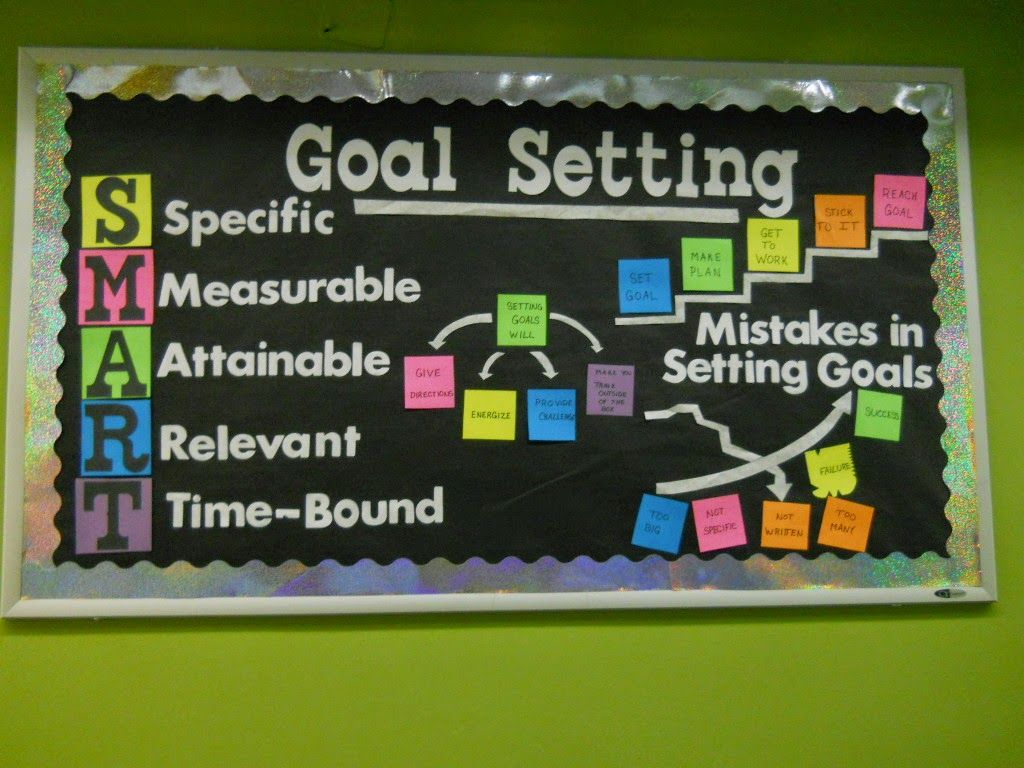
In offices, classrooms, and home workspaces alike, a dedicated target bulletin board helps align priorities, track progress, and boost collaboration. When used correctly, it can replace scattered notes and post-its with a single, visual hub that keeps everyone on the same page. This approach is especially valuable for teams juggling multiple projects, deadlines, and quick pivots. By presenting goals in a visible format, it becomes easier to translate strategy into daily actions and measurable results.
A target bulletin board is a physical or digital board that displays goals, milestones, and tasks tied to a clearly defined objective. By visually representing targets, teams can move from vague intentions to concrete actions. The phrase itself suggests a destination: a clear target that guides daily work and decision-making. The right board blends clarity with flexibility, so it can evolve as priorities shift and new information emerges.
Benefits of using a target bulletin board
Visibility and accountability are the first benefits. A board that shows goals, owners, deadlines, and status makes it easy to see who is responsible for what and when. Teams report faster issue resolution when blockers are visible in real time. When everyone can see progress, meetings become shorter and more focused, because updates center on measurable movement toward targets.
Flexibility is another advantage. Whether you run agile sprints, classroom projects, or personal productivity plans, a target bulletin board adapts to changing priorities. You can add new targets, reassign owners, or adjust timelines with minimal disruption. Digital boards, in particular, make collaboration across remote or hybrid teams seamless, while physical boards can foster quick, in-person alignment in shared spaces.
Beyond project work, a well-maintained board enhances onboarding and team culture. New members can quickly understand priorities, current status, and how success is tracked. Celebrating milestones on the board reinforces positive behavior and keeps motivation high, while documenting lessons learned helps prevent repeated bottlenecks.
How to set up an effective target bulletin board
Start with a clear objective. Write a concise, measurable goal and display it prominently. Break the objective into actionable milestones or tasks. Use color coding to indicate priority, status, or responsible person. For example, green can signal completed tasks, yellow for in-progress, and red for blockers.
Choose the right format. A physical corkboard with sticky notes works well in shared spaces, while a digital board within a project management tool offers easier updates and remote access. The choice depends on your team size, workflow, and whether you need remote collaboration. If you opt for a digital solution, organize cards by stages such as Backlog, In Progress, Review, and Done to maintain flow.
Establish a review cadence. Regular check-ins help keep the board accurate. Quick daily updates and a weekly review give teams a chance to celebrate progress and pivot when necessary. Integrate the board into your existing rituals—standups, sprint planning, or monthly planning—to maximize adoption and impact.
Design effectively. Keep the layout simple and scannable. Use icons or emojis to convey status at a glance, and consider fonts and spacing that are easy to read from a distance. If your board includes multiple teams or departments, create color-grouped sections to preserve clarity while supporting cross-functional visibility.
Best practices and tips
Limit the number of active targets to prevent overload. A crowded board loses impact. Aim for 3–7 key goals at any given time, with a handful of milestones for each. Regularly prune outdated items to keep focus sharp and the board current.
Standardize task cards so teammates instantly understand what needs to be done. Include owner, due date, blockers, and next steps. This consistency reduces confusion and speeds up execution. Consider templates for different kinds of work (e.g., content campaigns, software sprints, classroom projects) to maintain uniformity across teams.
Integrate with existing tools. If you use a digital workspace, link the board to your calendar, issue tracker, or communication channel. You can also print a summary for team members who prefer offline visibility. Linking data sources ensures the board reflects real progress and reduces manual updates.
Inspiration and resources
If you are exploring ready-made templates or curated ideas for organizing your space, you can explore the resource linked above to see how a target bulletin board can be tailored to different settings. For more insights on design, templates, and productivity tips, visit the MagVibes homepage.